


Home Security Camera WardenCam
4.15.18K Reviews
App Specs
- Version
- 2.8.27
- Updated On
- License
- Free
- Downloads
- 10,000,000+
- Developer
- WardenCam360 - Home Security, Video Monitoring
- Categories
- House & Home
- Platform
- Android
Screenshots
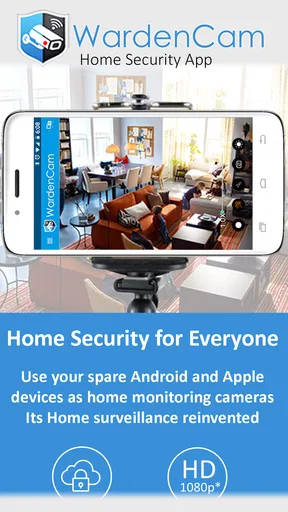
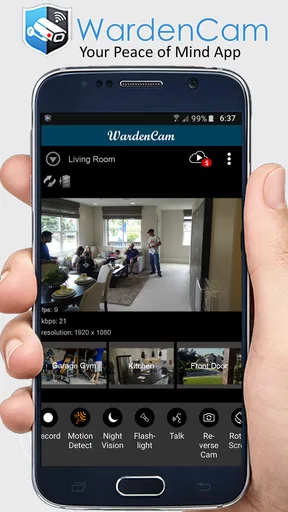
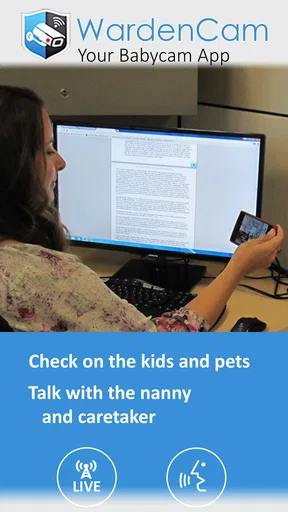
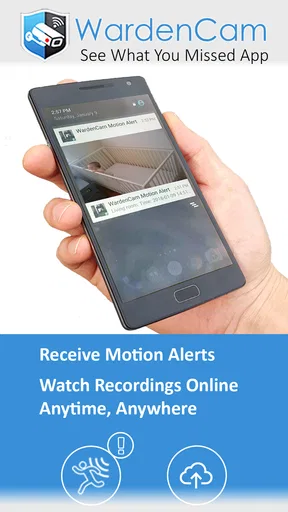
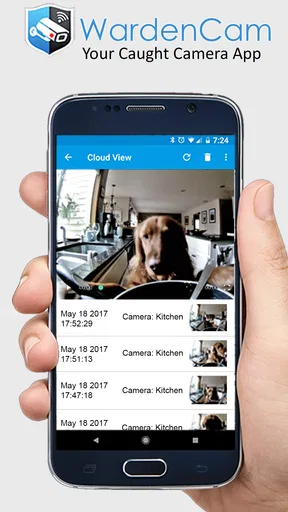
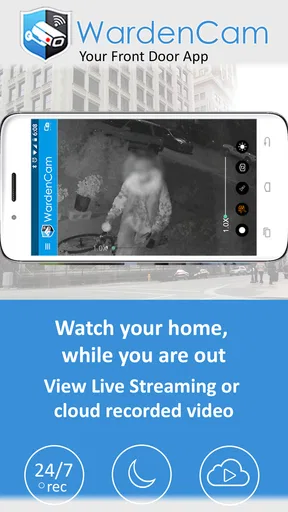
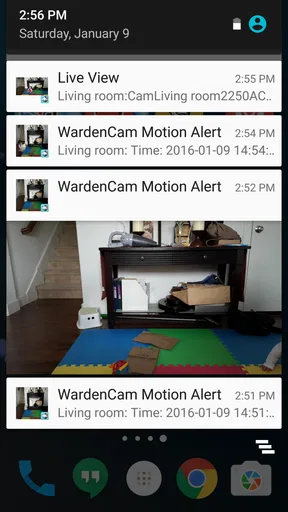
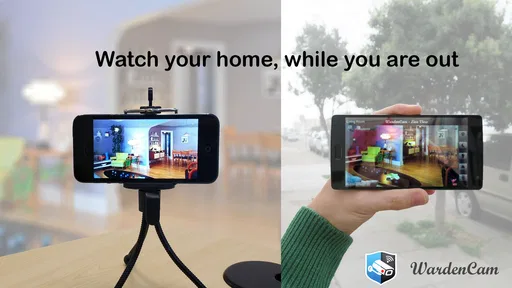
 Analysis by AppCompare
I tend to trust a home-monitoring setup more when I know exactly what it can and cannot do. Home Security Camera WardenCam is an app for turning a spare phone into a camera and using another device to check in. That makes it appealing if you already have an older handset and want a simple view of one room, rather than a full alarm system. I’d treat it as a practical extra pair of eyes, not as a replacement for purpose-built security equipment.
A sensible baseline for a spare-phone camera
The useful starting point is one camera phone, one viewer, and a deliberate choice of where the camera belongs. The app is free, and WardenCam360 - Home Security, Video Monitoring is its developer. It sits in the house-and-home space, has an Everyone age rating, and has been available since June 28, 2013. Its current version is 2.8.27, with Android 4.4 as the minimum operating system. That long-running presence and broad compatibility make it worth considering when the device you want to reuse is not new.
Before leaving the camera in place, I’d test the whole routine from the viewer device: open the app, confirm that the camera is available, check the image from the actual viewing location, and try a motion alert. This simple rehearsal catches the sort of setup problem that matters in daily use: a camera aimed at a bright window, a phone that has lost its network connection, or a notification that is easy to miss. A spare phone is only useful as a camera if it stays reachable.
Placement deserves more thought than it gets. A shelf near a doorway may capture movement clearly, while a low table can give you a close-up of a pet and little context about the room. I’d frame the area you genuinely need to monitor, then walk through it at different times of day. Night vision is part of the app’s appeal, but the useful test is whether the room’s important details remain visible after dark, not whether the picture simply changes when the lights go out.
Setting Up Your Virtual Watchdog
First things first, setup couldn’t be easier. I mean, you don’t have to be a tech wizard to get this thing going. All you need is two devices—one as the camera, and the other as the viewer. Just install the app on both and sign in with your Google account. Boom, you’re halfway there.
The beauty of WardenCam is in its simplicity. You can place your old phone in any corner of your house, connect to Wi-Fi, and you’re set. The app even supports night vision, so you can see what’s going on even in the dark. I had a couple of laughs checking on my mischievous cat at night!
Settings worth checking before you rely on it
Motion alerts are more useful when they have a purpose. If the camera watches a busy hallway, ordinary movement may generate notifications that soon become background noise. For that kind of view, I’d first decide what event I actually want to notice—someone entering while I’m away, for example—and then test the camera from that path. If alerts prove too frequent for the location, changing the camera position may be more helpful than expecting every notification to be meaningful.
Worth Reading Before You Choose

Flipboard Shows What News Apps Must Do Beyond the Feed

Switching to Android Auto Means Rethinking Your Driving Routine

Google Calendar Makes a Crowded Week Easier to Manage

Ludo King Makes the Most of the Minutes Between Plans

Baby Panda World Brings Quick Play to Modern Phones, but Its Game Library Feels Busy

ESPN’s Live Game View Makes Following Close Games Easier
There is also a trade-off between seeing more of a room and getting a clearer view of one spot. A broad angle can show that someone has entered, but a carefully aimed view may make it easier to understand what happened near a door, pet bed, or work area. I prefer to choose one job for the camera rather than trying to cover a whole home with a single handset. That keeps the picture easier to interpret and makes motion alerts less likely to become a stream of irrelevant activity.
Recording is worth thinking through before an event occurs. The article’s original experience describes saving footage to Google Drive or Dropbox, which can be useful when you want a copy to review later. I’d check that the chosen destination is accessible from the account I actually use and decide how much recording I need for the situation. Cloud storage may be more convenient than relying on the camera phone alone, but it also means the usefulness of a clip depends on the recording setup and the account being available.
Faster routines for everyday checks
A repeatable habit makes a two-phone arrangement less fiddly. I’d leave the camera in a stable position, keep it connected to power, and use the viewer from a familiar place rather than moving the camera phone every day. When I leave home, a quick check that the camera is online is more reassuring than discovering later that I had assumed it was still working. When I return, I can stop relying on the view instead of leaving the system running without a reason.
One realistic use is checking on a pet while stepping out for errands. I’d point the phone toward the room where the animal spends time, test motion detection while I’m still home, and make sure the viewer receives an alert before relying on it away from the house. Two-way audio can be handy for a brief check-in, but I wouldn’t assume that talking through a phone will calm every animal; some may react to a voice they can hear but cannot locate. For a child or an older relative, I’d similarly treat the camera as a way to look in, not as a substitute for being available to respond.
WardenCam has a 4.1 average from around 63,000 ratings, and more than 10 million installs. Those figures suggest that repurposing a phone for home monitoring has broad appeal, but they don’t tell me whether it fits a particular home. The practical question is whether you have a spare device, a stable place to leave it, and a reason to check one specific area. If you need coverage across several rooms or a dedicated alarm that works independently of a spare phone, a purpose-built system is likely the better match.
Features That Stand Out
What really caught my attention was the motion detection feature. It’s quite sensitive and sends alerts straight to your phone. I found myself testing it repeatedly, walking past the camera just to see how quickly I’d get notified—pretty swift, if I say so myself.
Another cool feature is the two-way audio. It’s like having a walkie-talkie with your home. I tried it out by talking to my dog through the phone, and the look of confusion on his face was priceless. You can also record and save footage directly to your Google Drive or Dropbox, which is great for keeping evidence just in case.
Where the phone-camera approach reaches its limits
The biggest practical weakness is that the camera is still a phone: it needs power, a reliable connection, and a position where it can stay undisturbed. The battery issue is not a minor detail for continuous use. I’d use a device that can remain plugged in safely, avoid placing it somewhere that blocks ventilation, and check the connection after the phone has been left alone. If power is interrupted or the handset becomes unavailable, the viewing routine can fail along with it.
Motion detection also needs sensible expectations. An alert tells you that the app detected movement; it does not, by itself, explain whether the cause was a person, a pet, a change in lighting, or something harmless. A camera pointed at a window or a frequently used route may therefore create extra checks rather than peace of mind. Before using alerts as a reason to act, I’d look at the live view or recording and confirm what triggered them.
Privacy is another reason to be selective about placement. A camera inside a home can capture family members, visitors, or private routines, so I’d keep its view limited to the area I need and let household members know where it is. If you are monitoring a shared space, consider whether a visible phone on a shelf is appropriate and whether the camera should be switched off when monitoring is no longer needed. Convenient does not automatically mean suitable in every room.
Compared with a dedicated home camera, this setup can make good use of a device you already own and may be simpler to try without buying extra hardware. A dedicated camera, however, is generally the more natural choice when you want an appliance designed to stay in one place and monitor consistently. Compared with a basic live video call, WardenCam’s motion alerts and recording options are more suited to checking in when nobody is watching continuously. I’d choose based on the task: a spare phone for occasional, focused monitoring; a dedicated system for more dependable, broader coverage.
Is It Worth It?
Now, let’s talk about what everyone’s thinking—cost. While WardenCam is free to download, there’s a small price for premium features. I know, I know, but trust me, the peace of mind is worth it. The premium version gets rid of ads and gives you unlimited recording time. Plus, it helps the developers keep the app updated with new features.
The app also offers in-app purchases at $5.99 per item, so I’d check the purchase details in the app before paying and decide whether the features suit the way I plan to use it. Someone who only wants an occasional live look at a pet may not need to spend anything. If recording is central to the job, it makes sense to weigh the paid option against how often you’ll review footage and whether the extra recording capacity is useful to you. I wouldn’t pay simply because monitoring sounds reassuring; I’d first test the free setup and identify the actual limitation I’m trying to solve.
As for battery usage, it’s something to keep an eye on. Make sure your camera device is plugged in if you’re planning on using it for an extended period. I learned this the hard way when my makeshift camera conked out after a few hours.
That experience is why I’d make power part of the setup rather than an afterthought. Before leaving the phone for a long stretch, I’d confirm that its cable reaches without pulling the device out of position, then check the viewer again after it has been running. A short test at home is more informative than discovering a dead camera after an outing. If you cannot leave a phone plugged in safely where the camera needs to sit, this is probably not the right arrangement for continuous monitoring.
Who should use it, and who should choose something else
I think WardenCam makes the most sense for someone with a spare Android phone, a clear single-room use case, and realistic expectations about a DIY camera. It can be a convenient way to check whether a pet is settling, see if a delivery has reached an entry area, or keep an eye on a room while briefly away. It is less compelling if you have no spare device, need several fixed viewpoints, or want a system that does not depend on a phone staying powered and connected.
It is also not my first choice for situations where a missed alert would have serious consequences. Motion notifications and a live view can help you stay informed, but they are not the same as professional monitoring or a dedicated security installation. If your priority is a dependable security response rather than a convenient visual check, compare systems built specifically for that purpose. WardenCam is best understood as a flexible household tool, not a promise that a home is protected on its own.
Final Thoughts
So, is Home Security Camera WardenCam worth your time? I’d say absolutely. It’s a brilliant way to repurpose old devices and add an extra layer of security to your home without breaking the bank. It’s perfect for keeping tabs on pets, watching over the kids, or simply giving you peace of mind when you’re away.
Overall, I’ve been thoroughly impressed with how easy it is to use and the features it offers. If you’re on the lookout for a practical home security solution, give WardenCam a shot. You might find yourself as hooked as I am!
My recommendation comes with one condition: set it up around a specific routine, then test that routine before depending on it. Check the view in daylight and at night, confirm that the viewer can reach the camera, and make sure the phone has steady power. Those small checks turn an old handset into a more useful monitor and help reveal early whether your room, network, and daily habits suit the arrangement.
For a low-effort way to reuse a phone and keep an eye on one place, I’d happily try it. For broad coverage, uninterrupted recording, or security that must work without regular checking, I’d look at dedicated equipment instead. That distinction is the key to getting value from WardenCam: use it for convenient visibility, understand the limits of a phone-based setup, and choose a stronger alternative when the stakes call for one.
Pros
- Easy setup with minimal configuration required.
- Supports cloud storage for video backups.
- Two-way audio for real-time communication.
- Motion detection alerts are highly customizable.
- Can repurpose old phones as security cameras.
Cons
- Requires constant internet connection.
- Free version has limited features.
- Video quality depends on device capability.
- Consumes significant battery power on mobile.
- No desktop version available for monitoring.
FAQs for Home Security Camera WardenCam
What features does WardenCam provide for home security?
WardenCam offers a range of features designed to enhance home security. These include motion detection, two-way audio, night vision, and cloud storage. Users can monitor their home in real-time and receive instant alerts on their devices when motion is detected. Additionally, the app supports multiple camera setups for comprehensive coverage.
Is WardenCam compatible with all types of smartphones?
WardenCam is compatible with both Android and iOS devices, making it accessible to a wide range of users. However, it’s important to ensure your device meets the minimum operating system requirements specified in the app store. Older devices may experience reduced functionality or performance issues.
How secure is the data and video footage in WardenCam?
WardenCam prioritizes user privacy and security by encrypting all video footage and data transmissions. The app uses secure cloud storage options, and users can access their footage via password-protected accounts. It is recommended to regularly update your password and enable two-factor authentication for additional security.
Does WardenCam require a subscription for full access?
While WardenCam offers basic features for free, accessing premium features such as extended cloud storage and advanced motion detection may require a subscription. The app often provides different pricing tiers, so users can choose a plan that best suits their security needs and budget.
Can WardenCam be used with multiple cameras simultaneously?
Yes, WardenCam supports multi-camera setups, allowing users to monitor various locations within their home simultaneously. This feature is particularly useful for larger properties or for users who want to cover multiple entry points. The app provides a user-friendly interface to switch between camera views seamlessly.


